
Saint Wine’s Customer’s Guide to
using eBev as an Ordering Portal
Watch this short video or follow the steps below to
master using eBev to order your Saint Wine products.

Your guide on accessing your
Quick Order Sheet and Navigating eBev
1 - Activate your Account!
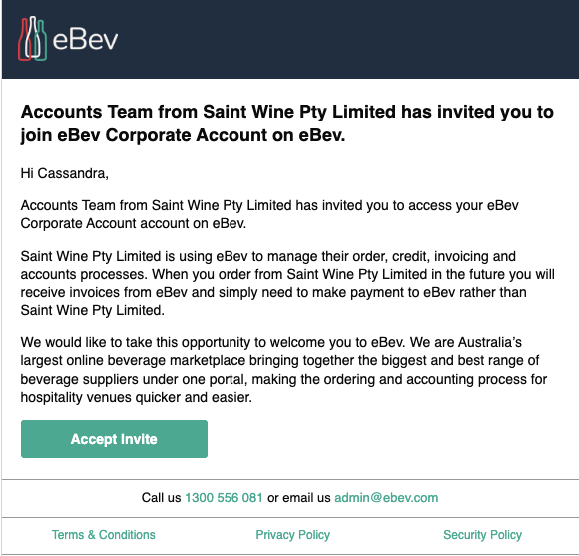
Check your email for your Sales Rep invite which comes from eBev. Accept the invitation by clicking on Get Started Now, choose your password and you’re good to go!
2 - Saint Wine Icon
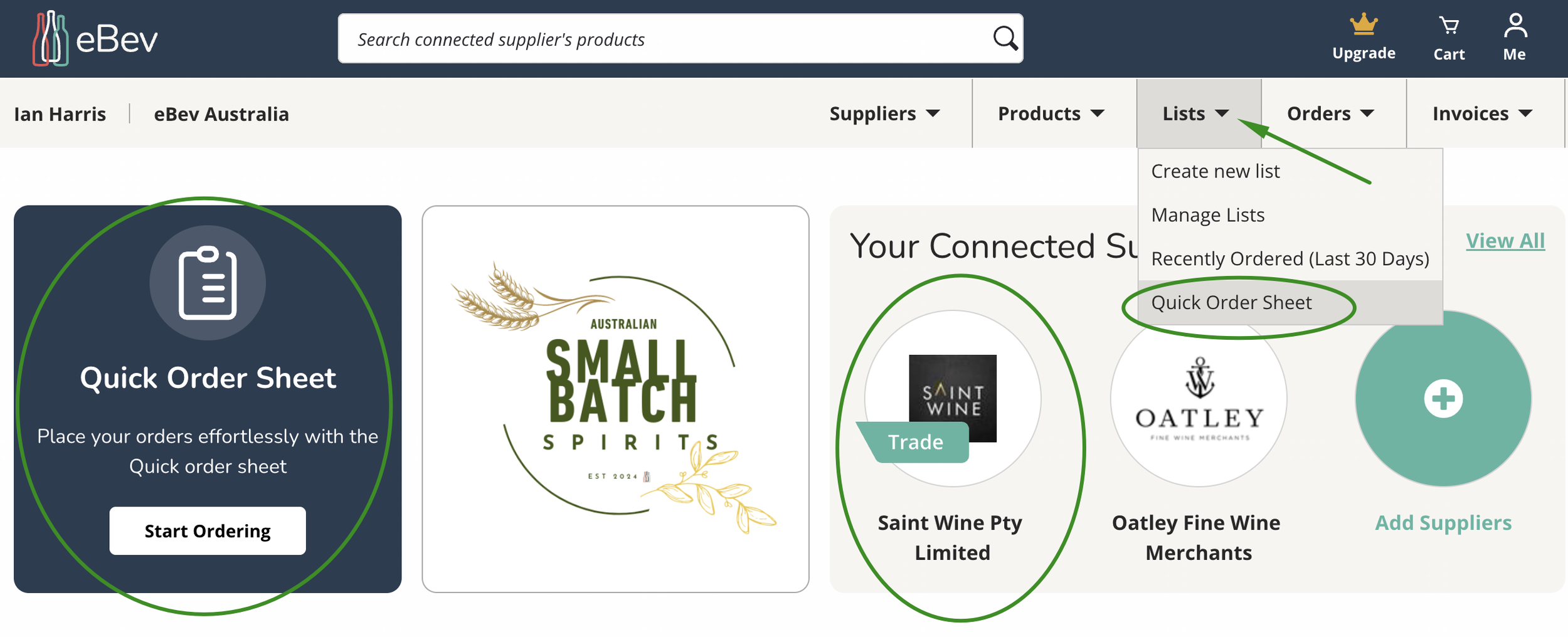
Once you have logged in you will see your dashboard with a navigation bar. Click on Saint Wine icon and add your products to the cart.
If you have requested a pre-prepared list from your Sales Rep click on Lists and scroll down to Quick Order
3 - Quick Order Sheet
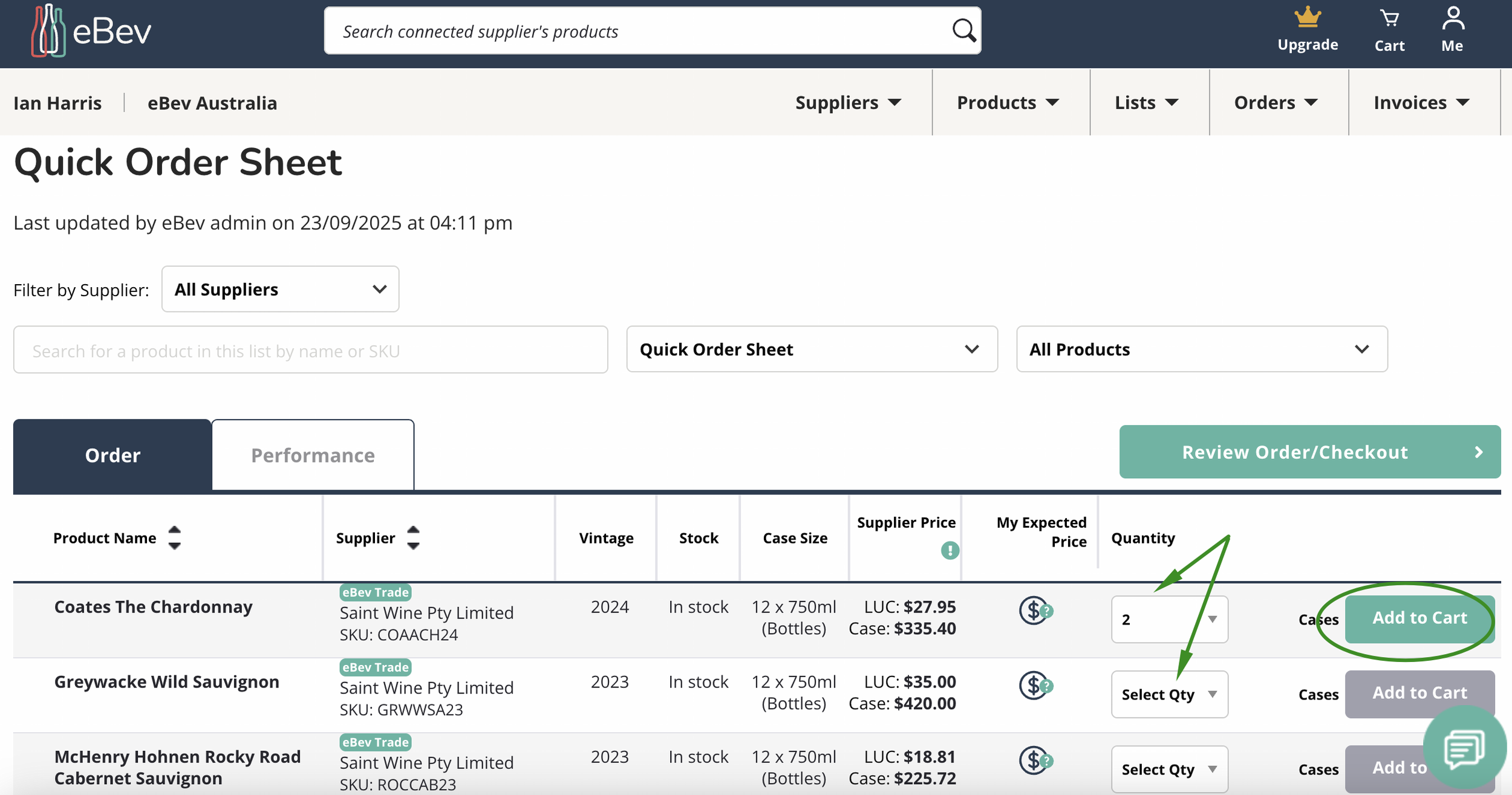
If your Sales Rep has set up your Quick Order Sheet. All you need to do is select your quantity and Add to Cart. Once you've selected all your items, click on Review
4 - Place Your Order
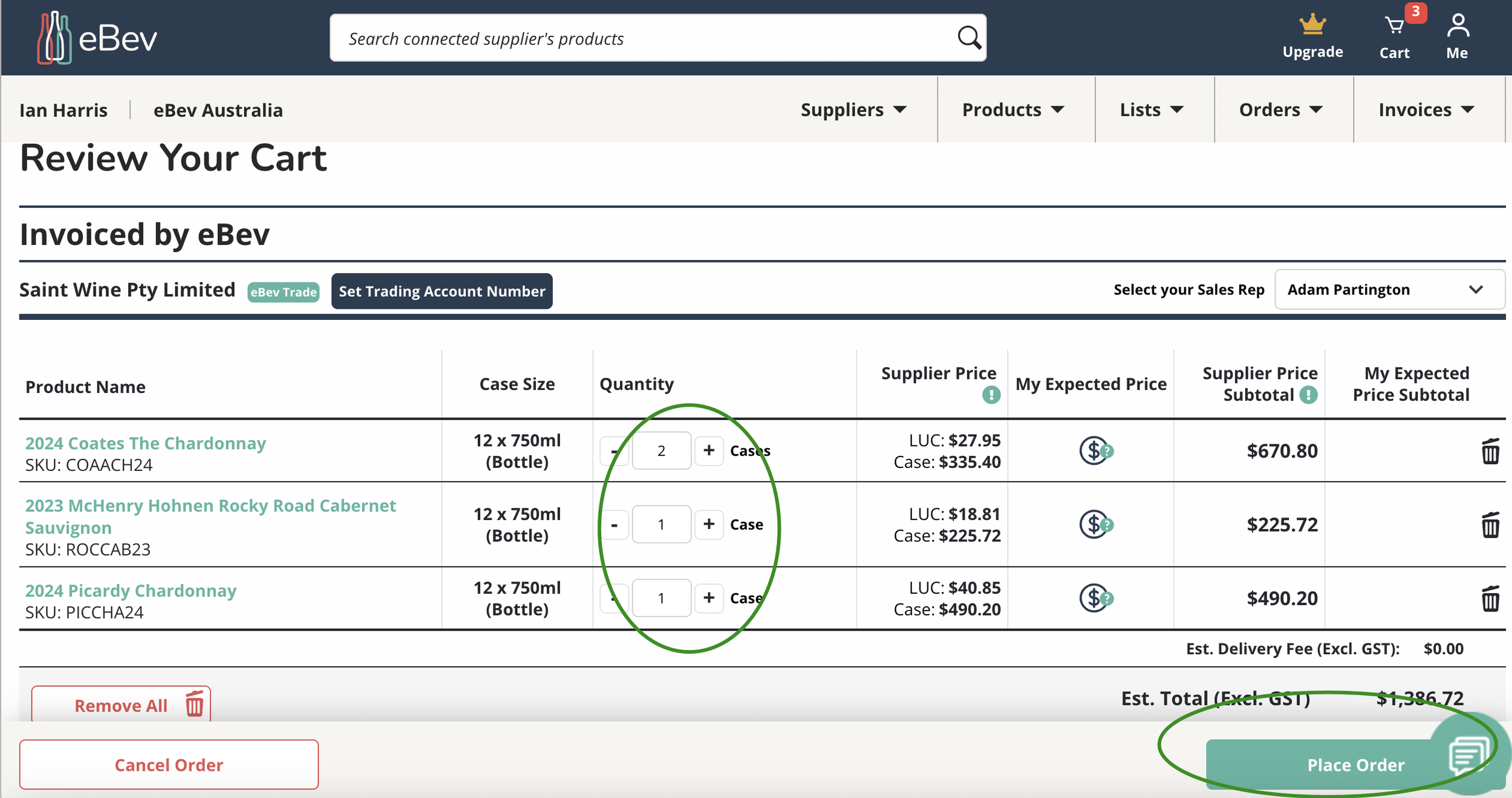
Review your Cart including volumes and discounts, click Place Order when you are ready to go. Your order will shoot straight through to Saint Wine which will continue to deliver and invoice your orders as per normal.
5 - Orders
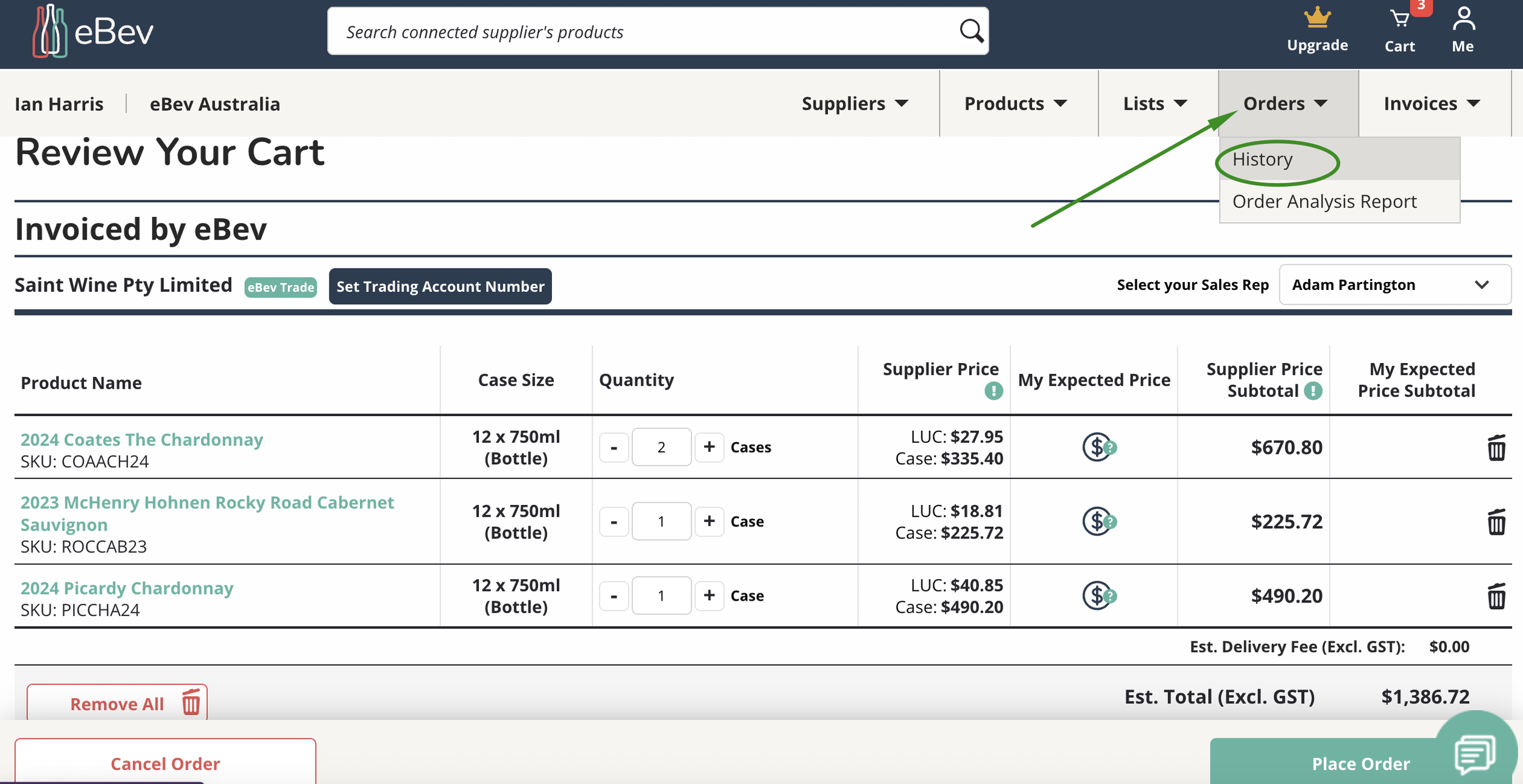
Your Order details will be recorded under your Orders tab, select Orders, scroll to find which order you would like and click on View.
6 - Explore
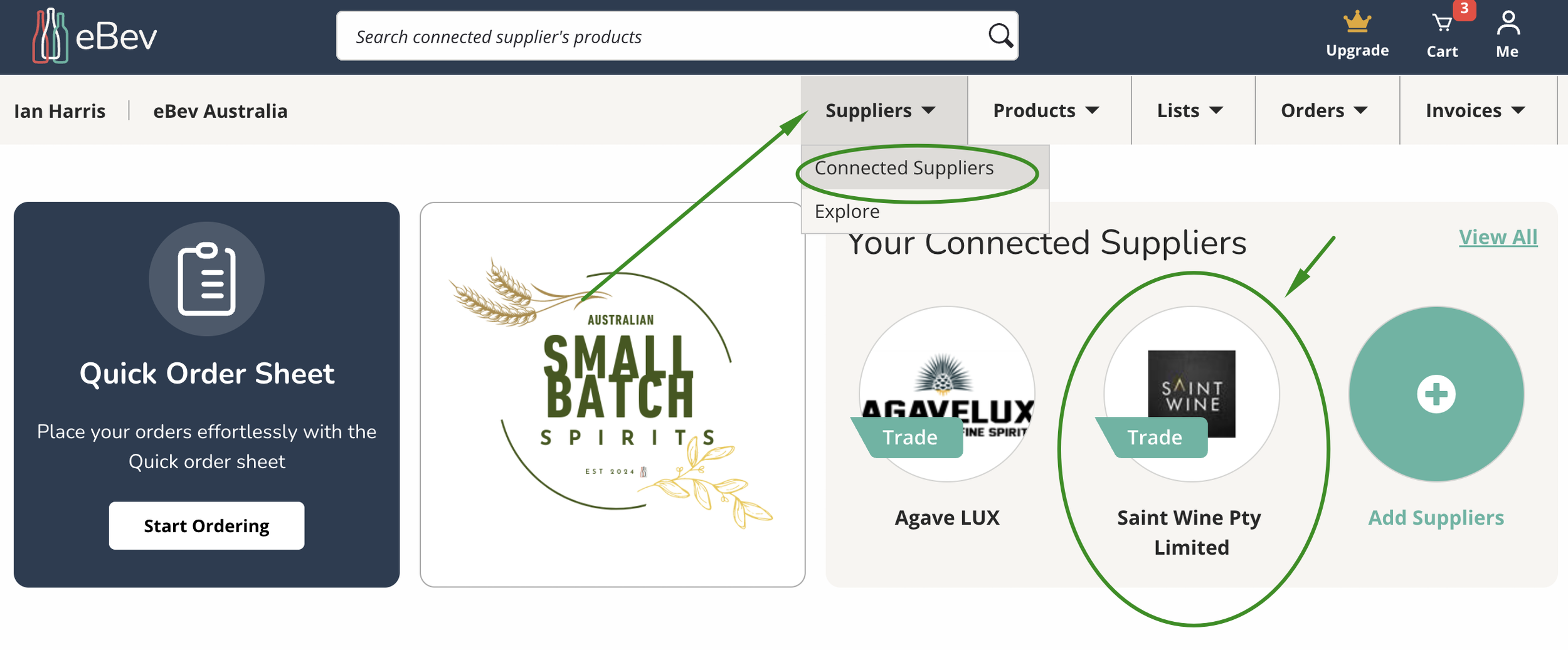
Keen to see more from the Saint Wine Portfolio? You can Search more products, add to cart and place order.
It’s that easy..
Once ordered these items will appear on your Recently Ordered List.
*Alternatively you can request for your Sales Rep to set you up a Quick Order Sheet with all your products.
Need Some Assistance?
We are here for you..

Jump on Livechat by selecting the green chat icon in the bottom right-hand corner of our website, and one of our friendly team will be happy to help! Or give us a call on 1300 556 081.
Livechat and phones are covered during business hours from 9am to 5pm AEST. Please leave us a message outside those hours and we will get back to you.